


In today’s fast-moving digital landscape, Agile development has revolutionized how software and digital products are built. With a strong emphasis on flexibility, rapid iteration, and collaboration, Agile enables teams to release functional updates at a much faster pace than traditional development models. However, one key challenge in Agile teams is ensuring that user experience (UX) design remains a fundamental part of the process rather than an afterthought.
Traditional UX design follows a structured, linear approach that involves extensive research, prototyping, usability testing, and finalizing designs before developers begin coding. In contrast, Agile thrives on incremental progress, requiring designers to produce usable solutions within short, iterative sprints. This fundamental difference means UX designers must adapt their workflows, working alongside developers in a more dynamic and flexible manner.
By successfully integrating UX into Agile, teams can create digital products that are not only functional but also intuitive, user-friendly, and visually appealing. Let’s explore how UX professionals can navigate Agile teams, overcome common challenges, and ensure seamless collaboration between design and development.
The Evolving Role of UX in Agile Workflows
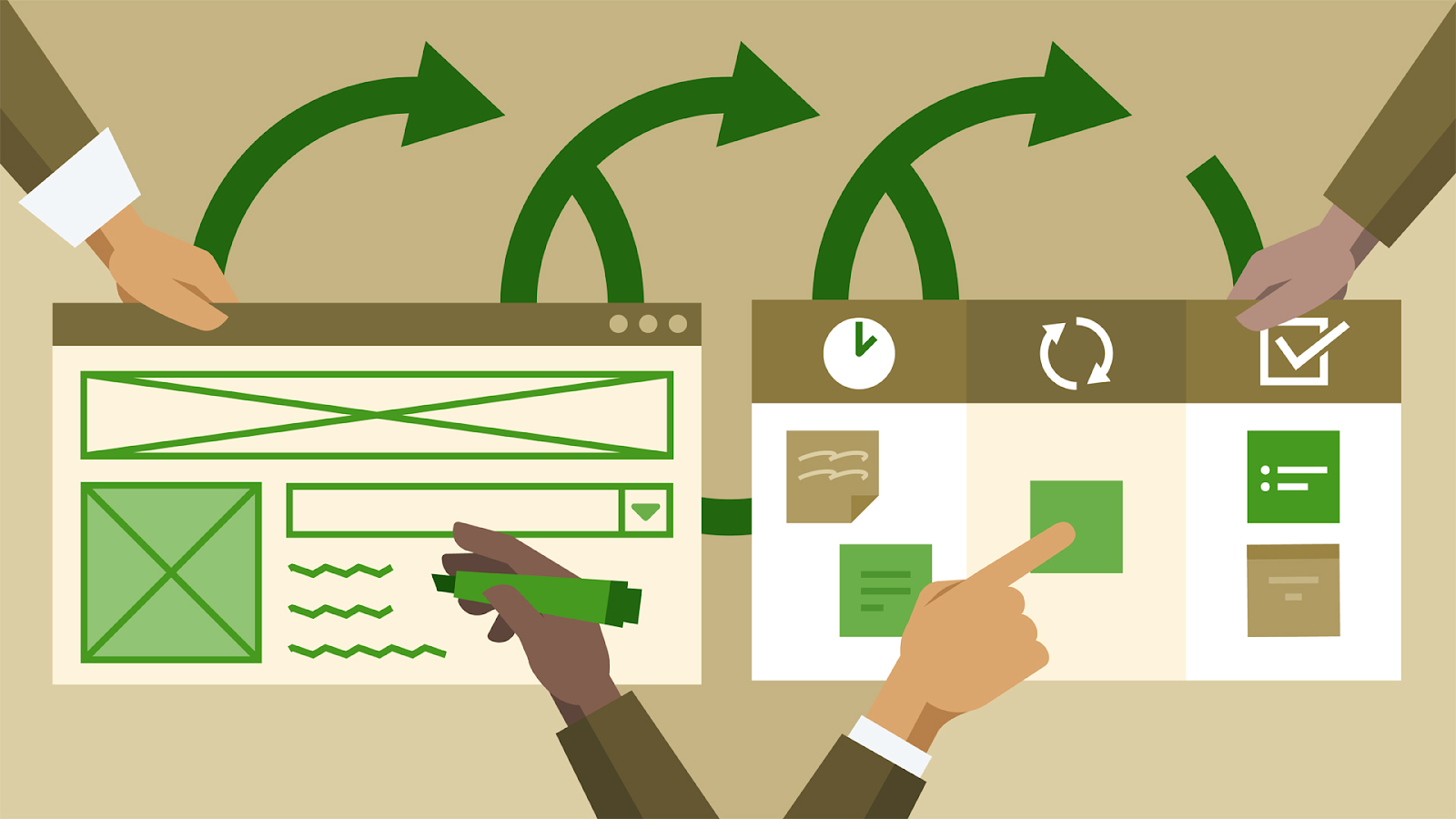
In an Agile development cycle, projects are broken down into short, iterative sprints that typically last between one and four weeks. Instead of waiting for an entire design to be finalized before moving to development, Agile emphasizes continuous delivery—meaning that UX designers must work in sync with developers to produce iterative improvements that enhance the user experience with each release.
Unlike traditional waterfall-style development where UX is a separate phase, Agile requires UX to be an ongoing process. The goal is to ensure that every sprint not only delivers functional improvements but also enhances usability, accessibility, and overall engagement.
Key Responsibilities of UX Designers in Agile
To ensure a smooth UX workflow within Agile teams, designers take on multiple roles:
- Conducting Continuous Research: Instead of lengthy research phases, UX designers gather user insights through quick usability tests, surveys, and A/B testing to make data-driven design decisions.
- Developing Rapid Prototypes: Wireframes and interactive prototypes help teams visualize concepts before they are built. These must be created quickly and iterated often based on feedback.
- Collaborating with Developers: Close coordination ensures that design decisions are feasible, reducing the risk of misalignment during implementation.
- Testing and Refining in Real-Time: Since Agile involves frequent iterations, UX teams must continuously validate and refine their designs throughout development rather than only at the end.
- Maintaining a Design System: Using a consistent UI/UX framework helps teams scale designs efficiently without needing to reinvent elements in every sprint.
- Advocating for User Needs: UX designers serve as the bridge between business goals and user expectations, ensuring that every product decision prioritizes usability and accessibility.
Common Challenges in Agile UX and How to Overcome Them
Despite its advantages, integrating UX within Agile workflows presents unique obstacles. Below are some of the most common challenges and strategies to address them.
1. Limited Time for Extensive Research
Agile development prioritizes speed, leaving little time for comprehensive user research before design decisions need to be made. Unlike traditional UX workflows that dedicate months to research, Agile demands fast insights that guide decisions within short sprints.
Solution:
- Adopt Lean UX methods, such as quick usability testing, A/B testing, and real-time analytics to gather valuable insights in a short timeframe.
- Conduct ongoing research rather than treating it as a one-time phase.
2. Frequent Iterations and Design Adjustments
Agile’s iterative nature often results in constant design modifications, which can disrupt consistency and delay progress if not managed well.
Solution:
- Use a component-based design system where UI elements remain standardized across iterations.
- Leverage design tools like Figma or Adobe XD, which allow for real-time collaboration and easy adjustments.
3. Misalignment Between UX Designers and Developers
Designers and developers often operate at different paces, which can lead to inconsistencies when implementing UI elements. If design intent isn’t clearly communicated, developers may unintentionally alter user flows.
Solution:
- Encourage cross-functional collaboration by participating in daily standups, sprint planning, and retrospective meetings.
- Provide clear design documentation that outlines interaction details, user flows, and expected outcomes.
4. Managing Stakeholder Expectations
Since Agile focuses on functionality, stakeholders sometimes deprioritize UX in favor of meeting technical deadlines. This can lead to a suboptimal user experience if UX concerns are consistently overlooked.
Solution:
- Involve stakeholders early in the design process and demonstrate how UX improvements contribute to long-term product success.
- Use data-driven insights (e.g., heatmaps, conversion rates) to justify UX decisions.
Best Practices for UX Designers in Agile Teams
To effectively integrate UX into Agile workflows, consider the following best practices:
1. Utilize Sprint 0 for UX Planning
Sprint 0 (a preparatory phase before active development) is crucial for establishing UX foundations before teams start coding. During this phase, designers should:
- Define user personas and map key user journeys.
- Conduct preliminary research to identify usability pain points.
- Establish core design principles that will guide future iterations.
2. Adopt Lean UX Principles
Lean UX focuses on lightweight documentation and fast validation, allowing designers to iterate efficiently without excessive paperwork. Key strategies include:
- Running quick usability tests to validate ideas early.
- Creating minimal viable prototypes that developers can immediately act on.
- Making design decisions based on real user feedback, rather than assumptions.
3. Build a Scalable Design System
A unified design system ensures that UI components remain consistent across Agile sprints. This allows for:
- Faster design implementation.
- Fewer inconsistencies between different product updates.
- Easier collaboration between designers and developers.
4. Strengthen UX-Development Collaboration
Fostering strong communication between UX designers and developers is critical. Teams can achieve this by:
- Holding joint UX-developer brainstorming sessions.
- Using collaborative tools like Slack, Jira, and Confluence to share feedback.
- Running design critique sessions to ensure UI elements align with the overall product vision.

Conclusion
Integrating UX into Agile teams requires a fundamental shift in approach—from rigid, linear workflows to a more flexible and iterative mindset. UX designers must continuously gather insights, iterate rapidly, and collaborate closely with developers to ensure that every product update improves the user experience.
By embracing Lean UX strategies, maintaining a design system, and fostering communication between teams, UX professionals can seamlessly align their processes with Agile methodologies, ultimately leading to more intuitive and successful digital products.
Level up your UI/UX skills! Learn to create stunning interfaces and seamless user experiences with our Advanced UI/UX Design Course. Boost your career and design products that stand out.
Enroll today at Kaarwan for more insights!
FAQs
1. How does UX work within Agile development?
UX is embedded throughout Agile workflows by integrating research, prototyping, and testing into every sprint, rather than treating UX as a separate phase.
2. What challenges do UX designers face in Agile?
Common challenges include time constraints, frequent iterations, developer misalignment, and stakeholder resistance to prioritizing UX.
3. What tools help UX designers in Agile teams?
Popular tools include Figma, Sketch, Jira, Trello, and UserTesting for design, collaboration, and research.
4. What is Sprint 0, and why is it important for UX?
Sprint 0 is a preliminary planning phase where UX designers conduct research, establish personas, and create initial wireframes before development begins.
5. How can UX designers improve collaboration with Agile teams?
By participating in daily standups, maintaining clear documentation, and using design systems, UX designers can work more effectively with Agile teams.




